EOL, the legal cultural supply at a glance


With the EOL extension, proposed by the French regulatory authority for audiovisual and digital communication (Arcom), you can check at a glance whether the sites on which you are watching a film or series, listening to music, reading a book, playing a video game or browsing an image are in compliance with copyright.
What is EOL?
EOL is an extension designed and created by Arcom as part of its mission to encourage the development of legal supplies.
With the EOL extension, you can check at a glance and in real time while browsing whether the site you're browsing is copyright-compliant and listed by Arcom.
RGPD-compliant, the EOL extension doesn't record or send any browsing data about its users to Arcom or third parties. It only compares the url to the list of royalty-free sites listed by Arcom.
How to use EOL
Once installed, EOL appears on the right-hand side of the browser bar, at the top of the screen, and accompanies you in your browsing through two different color schemes.
A green color appears when the site you're browsing is listed by Arcom and respects royalties.


A gray color appears when the site you are browsing is not listed by Arcom. However, this does not mean that the site does not respect royalties.

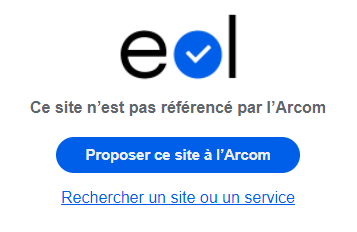
If you consider that the site you are browsing respects royalties, click on the "Submit this site to Arcom" tab available directly in the extension.
Whichever color is displayed, you can always use the "Search for a legal supply" tab to access the search engine for sites and services listed by Arcom.
How do I get EOL?
The EOL extension is available for downloading from the stores of the following browsers: